Website Errors? Get Technical Problems Fixed
Your website is one of the most important assets of your business. It helps customers discover your services, explore your products, contact your team, and learn more about your brand. But what happens when your website suddenly stops working, displays an error message, loads slowly, or fails to open on mobile devices?
Website errors can frustrate visitors, interrupt business operations, and potentially affect your search engine rankings. Whether you run a business website, an online store, or a professional portfolio, resolving technical problems quickly is essential for maintaining a reliable online presence.
In this guide, we will explore common website errors, their possible causes, practical troubleshooting methods, and how professional website technical support can help keep your website running smoothly.
What Are Website Errors?
Website errors occur when a website cannot perform an expected action correctly. These problems may prevent visitors from accessing pages, submitting contact forms, viewing products, or completing online purchases.
Some website errors are temporary, while others indicate deeper technical issues involving hosting, domain configuration, website code, plugins, databases, or security settings.
Common website problems include:
- Website not opening or displaying a blank screen
- 404 Page Not Found errors
- 500 Internal Server Errors
- Website loading slowly
- Broken links and missing images
- Contact forms not working
- Mobile display and responsive design issues
- SSL certificate and HTTPS security warnings
- WordPress plugin conflicts
- Website downtime and server connection problems
Identifying the source of an error is the first step toward finding the right solution.
1. Website Not Working or Opening Properly
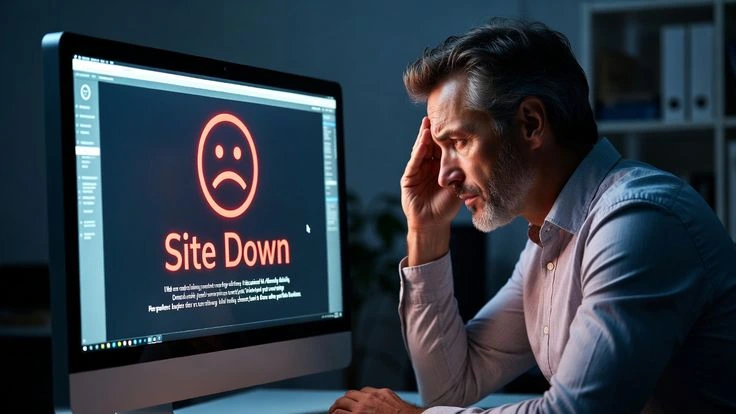
One of the most frustrating problems for business owners is discovering that their website is unavailable. Visitors may see a connection error, a blank page, or a message stating that the website cannot be reached.
Several factors can cause this issue, including expired domain registration, hosting problems, incorrect DNS settings, server downtime, or website configuration errors.
How to troubleshoot it:
First, check whether your internet connection is working and try opening the website in another browser. Next, verify that your domain registration and hosting service are active. If you recently changed DNS settings, allow time for those changes to propagate.
If the website remains unavailable, contact your hosting provider or a professional website support team to investigate the problem.
Regular website maintenance and domain monitoring can also help reduce unexpected downtime.
2. Fixing 404 Page Not Found Errors
A 404 error appears when a visitor attempts to access a page that the server cannot find. This may happen because a page has been deleted, a URL has changed, or a link contains an incorrect address.
Broken pages can create a poor user experience and prevent visitors from finding important information.
How to fix 404 errors:
- Check whether the URL has been entered correctly.
- Restore the missing page if it was removed accidentally.
- Redirect an old URL to its relevant replacement when appropriate.
- Update internal links that point to incorrect pages.
- Check your website sitemap for outdated URLs.
For WordPress websites, reviewing permalink settings may also help resolve certain URL-related problems.
Fixing important broken links helps visitors navigate your website and allows search engines to understand its structure more effectively.
3. Resolve 500 Internal Server Errors
A 500 Internal Server Error indicates that something went wrong on the server, but the server cannot provide a more specific explanation to the visitor.
Possible causes include incorrect configuration files, incompatible plugins, coding errors, insufficient server resources, or database problems.
These errors may require technical investigation rather than simple browser troubleshooting.
Recommended solutions include:
- Check the server error logs to identify the underlying issue.
- Review recent website updates or code changes.
- Investigate plugin or theme conflicts.
- Verify file permissions and server configuration.
- Check available hosting resources and database connectivity.
Always back up your website before making significant technical changes. If the cause is unclear, professional website troubleshooting can help identify and resolve the problem without unnecessary disruption.
4. Fix Slow Website Loading Speed
Website speed plays an important role in user experience. Visitors may leave if pages take too long to load, especially when browsing on mobile devices or slower internet connections.
Slow performance can result from oversized images, excessive scripts, poor hosting performance, unnecessary plugins, or inefficient website code.
Ways to improve website speed:
- Compress and optimize images.
- Use browser caching where appropriate.
- Reduce unnecessary JavaScript and CSS.
- Remove unused plugins and website features.
- Consider a content delivery network when suitable.
- Upgrade hosting resources if the current plan is insufficient.
- Monitor page performance using tools such as Google PageSpeed Insights.
A faster website can provide a smoother browsing experience and support business goals. However, speed improvements depend on the website’s underlying issues and should be measured rather than assumed.
5. Website Not Working Properly on Mobile Devices
Today, customers frequently visit websites using smartphones and tablets. If your website looks attractive on a desktop but displays incorrectly on mobile, visitors may struggle to read content, navigate menus, or complete forms.
Common mobile website problems include overlapping text, images extending beyond the screen, tiny buttons, broken navigation menus, and horizontal scrolling.
These problems may result from outdated themes, fixed-width layouts, poorly optimized images, or CSS issues.
How to improve mobile website performance:
Use responsive website design that adapts to different screen sizes. Test important pages on multiple devices, check navigation menus, and ensure that buttons and forms are easy to use.
If your website uses an outdated theme, updating its design or rebuilding certain sections may provide a more reliable long-term solution.
A mobile-friendly website helps visitors interact with your business more comfortably and supports Google’s mobile-first indexing approach.
6. Fix Broken Contact Forms and Website Features
Contact forms are essential for businesses that receive customer enquiries online. If a form stops working, potential customers may be unable to request information, book appointments, or contact your team.
Common causes include incorrect form settings, email delivery problems, plugin conflicts, server restrictions, and JavaScript errors.
To troubleshoot the issue, submit a test enquiry, check the form configuration, review error messages, and verify whether notification emails are being delivered.
You should also test other important website features, including search functions, booking systems, payment gateways, and shopping carts.
For e-commerce websites, these functions are particularly important because technical failures can interrupt the purchasing process.
7. Resolve SSL Certificate and Website Security Issues
An SSL certificate helps establish an encrypted HTTPS connection between a website and its visitors. When an SSL certificate expires or is configured incorrectly, browsers may display security warnings.
Visitors may become hesitant to continue, particularly when entering personal information.
To address SSL-related problems, verify that the certificate is valid, check its domain coverage, and ensure that HTTPS is configured correctly. You should also review mixed-content warnings that occur when secure pages load resources over an insecure connection.
Website security requires ongoing attention. Keep your content management system, themes, and plugins updated, use strong passwords, and maintain regular backups.
If your website has been compromised, seek qualified technical assistance to investigate the incident and restore the website safely.
Why Professional Website Technical Support Matters
Some website problems can be resolved with basic troubleshooting, but more complex errors require technical knowledge and careful investigation.
Professional website technical support can help businesses identify underlying issues, repair broken functionality, improve performance, and maintain website reliability.
Depending on your requirements, website repair services may include:
- Website error detection and troubleshooting
- WordPress error fixing
- Website speed optimization
- Mobile responsiveness improvements
- Broken link correction
- Domain and hosting troubleshooting
- SSL and HTTPS configuration assistance
- Plugin and theme conflict resolution
- Website backups and maintenance
- Technical improvements for website usability
The right solution depends on the cause of the problem, the technology used to build the website, and the condition of the existing system.
Instead of repeatedly applying temporary fixes, focus on identifying the root cause to help prevent the same problem from returning.
How Regular Website Maintenance Helps Prevent Errors
Website maintenance is an important part of managing a successful online business. Regular checks can help identify technical issues before they seriously affect visitors.
A practical website maintenance routine should include checking website availability, testing important links and forms, reviewing backups, monitoring loading speed, updating supported software, and checking security settings.
You should also monitor important website pages through analytics and search performance tools. Unexpected changes in traffic, indexing, or user activity may indicate a problem that deserves investigation.
Maintaining a website does not eliminate every possible error, but it can reduce avoidable issues and help your business deliver a more consistent online experience.
Get Website Technical Problems Fixed with Dolphin Advertisers
Is your website displaying errors, loading slowly, or failing to work properly on mobile devices? Ignoring technical issues can create unnecessary frustration for visitors and make it harder for customers to interact with your business.
Dolphin Advertisers provides digital services focused on helping businesses strengthen their online presence through professional website design and development.
Whether you need a modern website, a more responsive design, or assistance identifying website technical problems, start by understanding what is preventing your website from performing as expected.
Conclusion
Website errors can affect usability, customer trust, and business performance. From 404 errors and server problems to slow loading speeds, broken forms, and mobile display issues, every technical problem deserves the right diagnosis.
Regular maintenance, reliable hosting, responsive design, and timely troubleshooting can help keep your website accessible and functional.
If your website is not working as expected, identify the problem, protect your data with a backup, and seek professional assistance when necessary.Don’t let website errors interrupt your business. Get the right technical support and keep your digital presence running smoothly.